
Допомога › Як продати
Кожен учасник Colnect може використовувати Торговельний майданчик для продажу предметів колекціонування.
Choosing an item to sell
Торговельний майданчик Colnect створений таким чином, що можна продавати лише товари, які вже є в каталогах. This ensures that the seller doesn’t have to provide any additional information and also that only legitimate information is presented to the buyer. In order to sell an item you need to open its page. Then click the "Продати цей предмет" кнопки: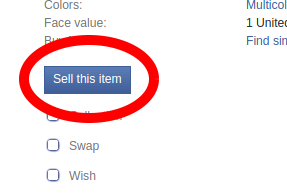
You will be taken to a page where you will be prompted to fill in all the necessary details.
Listing pictures
Listings with pictures appear more interesting to most buyers. Colnect Marketplace offers a unique opportunity to use the pictures and information from Colnect catalogs in the listing. Each listing offer is linked to the relevant item’s page in the Colnect catalogs. The seller is allowed to use Colnect catalog pictures in listings so there is at least 1 picture in any listing. The seller can add pictures of actual items to the listing.
Below the catalog picture there is a drag and drop area. As its name implies you can open the file browser on your computer and then drag an image file and drop it within the area on the page. The area supports uploading files in a traditional manner - just click on it, navigate to the folder where the images are located, select them and accept the dialog window. There is an upper limit of 5 images per listing. The first picture will the listing picture - it will appear as the main picture on offer list etc.
Make sure the pictures show the realistic condition of the item. У разі не в ідеальному стані збільшити всі пошкодження вашого елемент має уникнути негативних коментарів.
Опис
Повторіть інформацію з каталогу, не писати про особливості конкретний пункт, ви продаєте або описати його стан у деталях. Використовувати до 100 символів, без HTML.
Ціна
The seller can edit a listing price of its items at any time, however, that will affect only future transactions. It's not possible to change a total price of existing transactions. This is the price of an individual item. Do not insert cumulative price in this field. This is a number-only field so you won’t be able to insert currency either. To change the currency, click the "Змінити валюту" link below the field:
You will be taken to the Seller settings page. In your store’s details select a new currency and save.
Дата закінчення терміну дії оголошення
It specifies when your listing ends. Listing may be open for 30 days at most. Clicking on the input field will cause a date picker to pop up. Invalid days will be inactive.
Item condition
You should grade your items after category-specific guidelines that can be found here: [/help/collecting/item_condition]. Be precise. If in doubt it’s better to choose worse condition in order to avoid negative comments. The condition list is separate for every category.
Автоматичне оновлення
When the listing ends but not all items are sold, it can be renewed automatically. You can set the number of such renewals and set their duration. The auto-renew sale limit is 10 times and "Тривалість в днях після оновлення" can be up to 30 days. To sell an item a seller has a maximum of 10 auto-renewals for 30 days which totals about 10 months. To increase the number of renewals you may use the "Відновити оновлення списків" option in the seller settings.
Remember that you listings will be renewed only if your account is active. We will email a reminder to inactive sellers who has listings that are expiring soon and were meant to be renewed automatically.
Приватна примітка
Тільки Ви можете бачити цю примітку. You may use it to add notes that will help you locate the item when purchased. When done with filling out the form save it and you will be taken to your new sale’s page.
Selling lots
Colnect's marketplace allows sellers to list any combination of items in a single sale listing, even from different categories. The current limit for a lot is 100 items per listing. To sell a lot click the button "Почати продавати" found on any list page on the marketplace and in the shopping cart drop-down menu. On the page that opens you can start selling lots consisting of items added to personal collection lists. Lots consisting of items from different categories can be created only on the "Почати продавати" page by using the "Продати" button under the "Всі категорії" option.

It's also possible to start selling a lot from any page in a catalog by clicking the "Продати ці предмети" кнопки. When clicked, a new sell form is opened where all items from the catalog page that was viewed are listed. Fill out the item and listing details and click "Зберегти" at the bottom of the form.

Listing cancellation
To cancel a listing first click "Змінити" next to the listing's title and in the page that opens click "Закрити оголошення" at the bottom of the form.
« Торговельний майданчик: Налаштування продавця | Торговельний майданчик: Рекомендовані продавці »
Якщо у Вас є якісь запитання чи зауваження, будь-ласка, напишіть на наші Форуми.